Samsung Galaxy Note9 - Turn App Permissions On / Off
Here's how to turn permissions for installed apps on your Galaxy Note9 on or off.
App permissions give you the ability to customize and control which capabilities you give apps. You can pick and choose which permissions to grant apps at the time of use.
- Downloaded apps designed for Android 6.0 (Marshmallow) and up only ask for permission the first time you use a feature rather than asking for permissions out of context.
- Turning off certain permissions may result in basic features no longer working as intended.
- Open theSettings app.
- TapApps.
- Locate then select the appropriate app.If system apps aren't visible, tap the.Menu iconShow system apps
- If available, tapPermissions(App settings section).
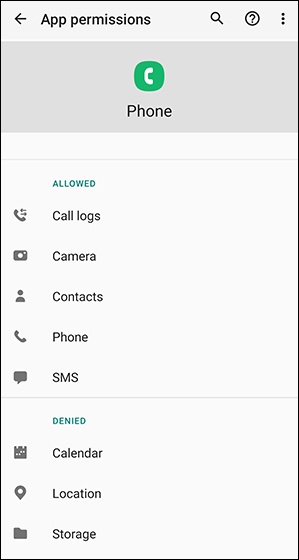
- Select available permissions (e.g., Camera, Contacts, Location, etc.) then on the following screen, select Allow or Deny.If prompted, review the message then tap Cancel or Deny anyway.The image below is an example.