Samsung Galaxy Note9 - Use a USB Connector
Here's how to connect other types of USB cables or devices to your Galaxy Note9.
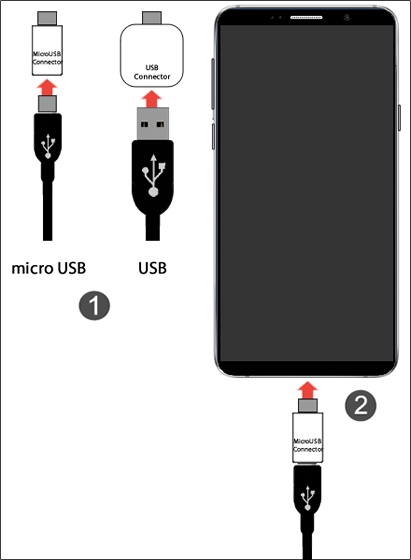
This smartphone contains a USB Type-C port. To connect other types of USB cables or devices, the following connectors are provided in box:
- USB to USB Type-C
- micro USB to USB Type-C
Insert a USB or micro USB cable into the appropriate connector (figure 1) then insert the connector into the USB Type-C port on the smartphone.