Samsung Chromebook Plus - Soft Reset
A soft reset can help if your Chromebook Plus crashes and resets, freezes or runs slow.
A soft reset can resolve issues like continuous resetting/rebooting, device crashing, freezing, device locks up, and keypad doesn't respond.
- A soft reset (turning the device off then back on) is similar to restarting a desktop computer and is one of the first steps in troubleshooting a device.
- In most cases, a soft reset won't affect data on the device, unless the battery is very low.
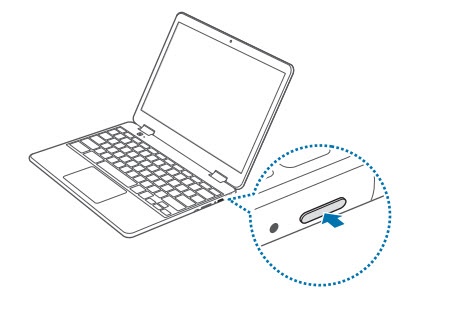
Refresh Button 
then press the Power button
. If the device is unresponsive/frozen, press and hold the
Power button
for approximately 10 seconds or until the device power cycles.