Kazuna eTalk - Insert / Remove Battery
Here's how to insert / remove the battery for your eTalk.
- Ensure the Kazuna eTalk™ is powered off.
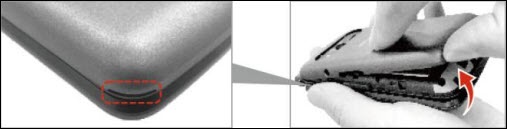
- Remove the battery cover.Insert your fingernail into cutout located on the lower-left of the battery cover to lift and remove cover.
- Do one of the following:
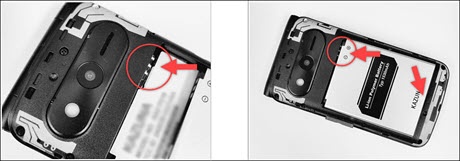
- Insert batteryMake sure the gold contacts line up then press down gently to secure.
- Remove batteryUtilize the notch to lift and remove battery.
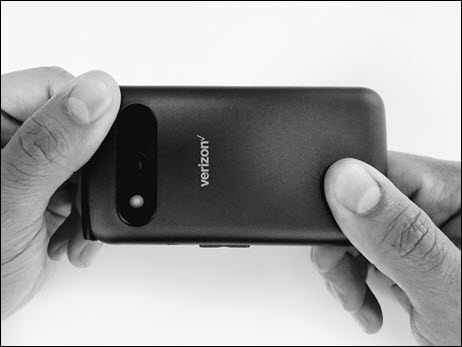
- Attach the battery cover.Press down along the edges to lock cover into place.