Alcatel GO FLIP™ V - Add Personal Email Account
Here's how to add an email account to your GO FLIP V.
- From the main screen, selectMenu.Utilize the 5-way navigation pad to highlight and the OK button to select.
- SelectEmail.
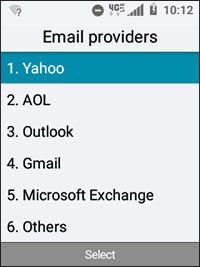
- Select the email account you would like to add:
- Enter the username for the email account. (e.g., StarUser@yahoo.com , etc.)
- Enter the password.If preferred, navigate to Show Password, then press theOK buttonto add a checkmark to show password as it's being entered.Sign in process may vary based on provider.
- SelectNext.
- If preferred, edit the following:
- Inbox sync (frequency)
- Notify for new new email
- Default email size
- Signature
- Signature text
- Press theright soft key
to choose Next.