Nokia 3 V - Common Camera Settings
Here's info on common camera settings (e.g., flash, timer, etc.) for your Nokia 3 V.
For additional support, refer to the Camera section of the user guide.
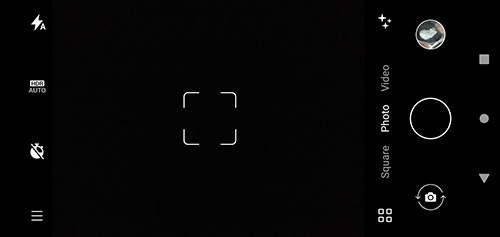
HDR
- From a Home screen, tap theCamera icon
.
- Tap theHDR icon
to select an option (auto, on, or off).
Flash
- From a Home screen, tap theCamera icon
- Tap theFlash icon
to select an option (auto, on, or off).
Timer
- From a Home screen, tap theCamera icon
- Tap theTimer icon
to select an option:
- Off
- 3 seconds
- 10 seconds
Menu
- From a Home screen, tap theCamera icon
- Tap theMenu icon
to access these options:
- Photo Modes:
- Portrait
- Spot Color
- Night vision
- Cinemagraph
- Panorama
- Live filter
- Video Modes:
- Slow motion
- Timelapse
- YouTube Live
Switch Camera
- From a Home screen, tap theCamera icon
- Tap theSwitch camera icon
to switch between front or rear camera.
Panorama
- From a Home screen, tap theCamera icon
- Tap theMenu Icon
then tap the
Panorama Iconto take a wide-angle shot.