Alcatel GO FLIP™ V - Move Pictures / Videos to SD / Memory Card
Here's how to move pictures / videos on your GO FLIP V from internal memory to an SD / memory card.
Move Single Pictures or Videos
- From the main screen, selectMenu.Utilize the 5-way navigation pad to highlight and the OK button to select.
- SelectSettings.
- SelectPhone Settings.
- SelectStorage.
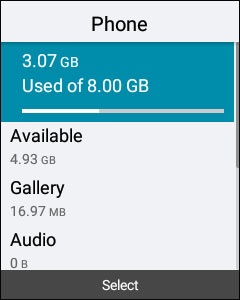
- SelectPhone.
- To view all files, select the folder showing totalGB used.
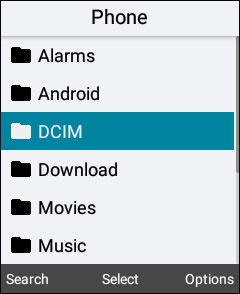
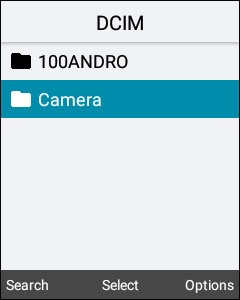
- SelectDCIM.
- SelectCamera.
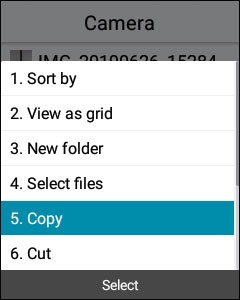
- Highlight the picture or video to be moved then press theright soft key
to choose Options.
- SelectCopy.
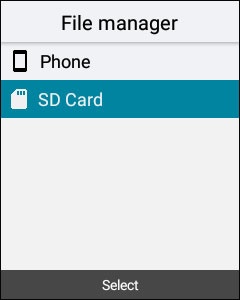
- Press theCLR / Back button
as needed to return to the appropriate menu then select
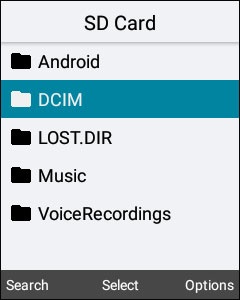
SD Card. - SelectDCIM.
- Press theright soft keyto choose Options.
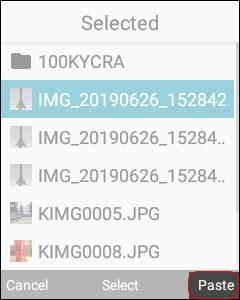
- Press theright soft keyto choose Paste.
Move Multiple Pictures or Videos
- From the main screen, selectMenu.Utilize the 5-way navigation pad to highlight and the OK button to select.
- SelectSettings.
- SelectPhone Settings.
- SelectStorage.
- SelectPhone.
- To view all files, select the folder showing totalGB used.
- SelectDCIM.
- SelectCamera.
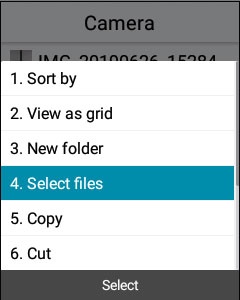
- From the Gallery press theright soft key
- ChooseSelect files.
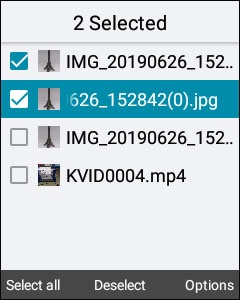
- Select each picture and/or video to move, or press theleft soft key
to choose 'Select all'.
Selected when a checkmark is present. - Press theright soft keyto choose Options.
- SelectCopy.
- Press theCLR / Back buttonSD Card.
- SelectDCIM.
- Press theright soft keyto choose Options.
- Press theright soft keyto choose Paste.