5G Home Router Check for Software Update
5G Home Router
Check for Software UpdateChecking for router software updates for your 5G Home Router is essential for network security. Updates also enhance performance, improve connection stability and resolve bugs, keeping your internet fast and protected.
Before you begin
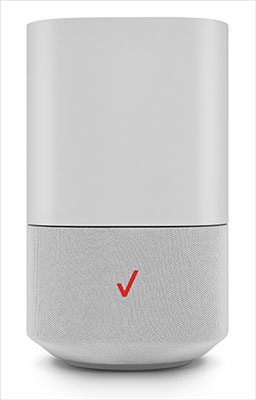
This content is for 5G Home Internet. Here's info on Fios Home Internet.
5G Home Internet service is currently offered in specific areas. Here's how to check for 5G coverage availability.
Steps
- Sign in to the Admin Web GUI.You must be connected to the 5G Home network to access the admin page.
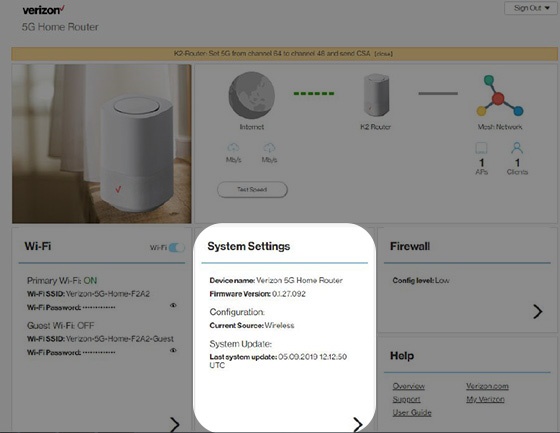
- From the Router Home screen, clickSystem Settings.
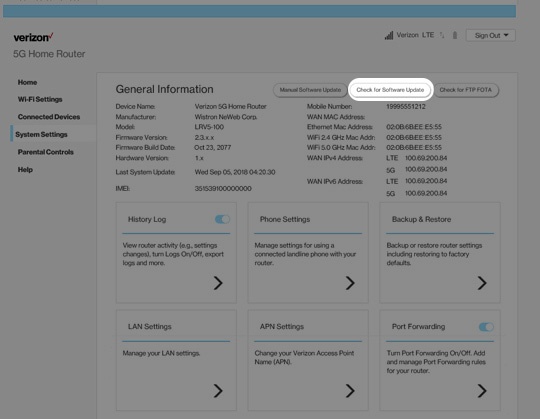
- From the General Information screen, clickCheck for Software Update.Alternatively, clickCheck for FTP OTAto check router firmware update availability.