5G Home Router Backup / Restore Current Configuration
5G Home Router
Backup / Restore Current ConfigurationBacking up your 5G Home Router settings saves your custom network setup. If you ever need to reset your router, you can restore everything instantly instead of setting it up from scratch.
Before you begin
This content is for 5G Home Internet. Here's info on Fios Home Internet.
5G Home Internet service is currently offered in specific areas. Here's how to check for 5G coverage availability.
Backup
- Sign in to the Admin WebGUI.You must be connected to the 5G Home Internet network to access the admin page.
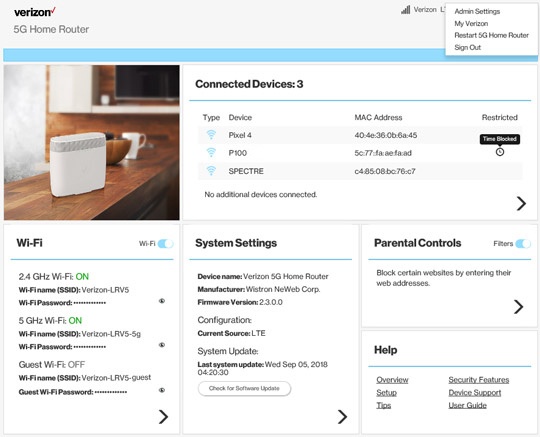
- From the Router Home screen, clickSystem Settings.
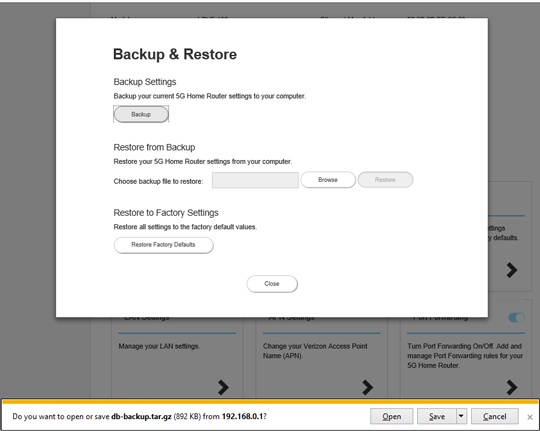
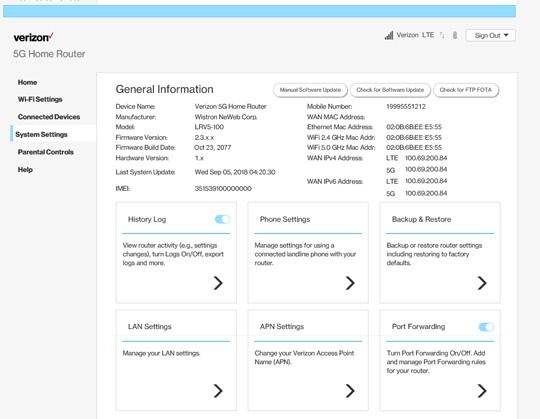
- From the General Information screen, clickBackup & Restore.
- From Backup & Restore, clickBackup.
- Save the 'db-backup.tar.gz' file to a known location.
Restore
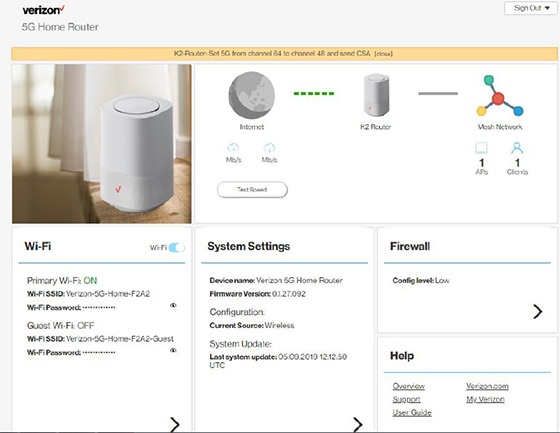
- Sign in to the Admin WebGUI.You must be connected to the 5G Home Internet network to access the admin page.
- From the Router Home screen, clickSystem Settings.
- From the General Information screen, clickBackup & Restore.
- From Backup & Restore, clickBrowse.
- Browse, locate and select the 'db-backup.tar.gz' file then clickRestore.
- If prompted, clickYesto confirm.The message 'Rebooting your router...' displays for several minutes until the process is complete.