5G Home Router View LED Status Indicators
5G Home Router
View LED Status IndicatorsThe LED lights on your Wi-Fi Access Point indicate its power or connection status. A quick glance shows whether it's working properly or needs attention.
Before you begin
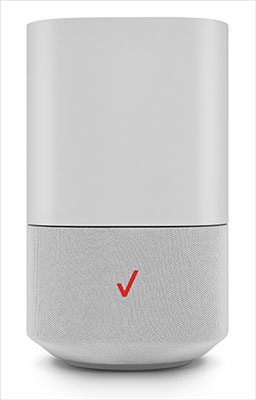
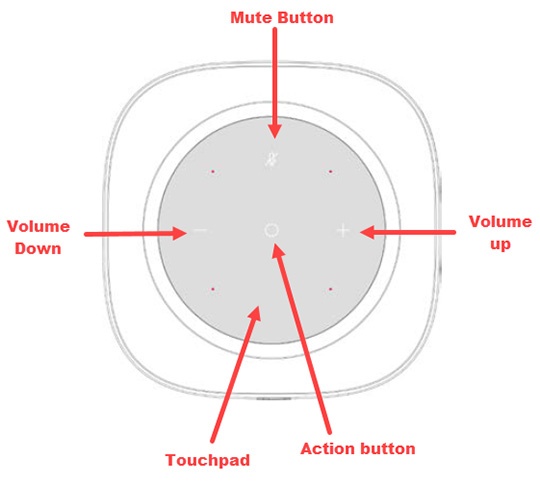
A recessed circular LED light surrounds the touchpad on the top of the 5G Home Router. The LED lights up in different ways to indicate the device's connectivity status.
Steps
- View the following chart for info on LED status indicators.LED Status IndicatorsFunctionStatusLED RingPairing (WPS/Bluetooth)Not paired to ReceiverAnimation Red/Amber: Until changed to another statePairing mode active(WPS or Ethernet pairing)Ethernet cable to be used for pairing Router and extender if WPS fails.Animation Blue: Lit toward the pairing button side until the pairing period endsPairing success(WPS or Ethernet pairing)Animation Blue: For 2 secondsPairing fails the Router displays white after 2 seconds of red hard blink.Animation Red: For 2 secondsWi-Fi and InternetThe router is connected to CPE and the internet is active, but Wi-Fi is turned off.Solid Amber: Until changed to another stateWi-Fi quality between IDU and Router is poor.Animation Yellow and white ringThe router is connected to CPE, but no internet connection (5G node might be done)Animation Red/Amber: Until changed to another stateThe router is connected to CPE, Wi-Fi, and the internet is working well.Solid White: For 30 seconds then turns offUsual FunctionsFirmware upgrade Blinks during upgrade installation (FOTA)Fast blink White: Until firmware is updatedHard reset / Reboot Triggered through app / FOTAFast blink White: (For 1-2 seconds before turning OFF)Turn on device (when the device turns onAnimation White to Red/Blue: Until changed to another state