Home Phone Base - Factory Data Reset
Here's how to restore your Home Phone Base to factory default settings.
- This process returns the device to factory settings.
- When you reset your device, make sure that you're not speaking on the phone. You'll be disconnected from your call when you reset your device.
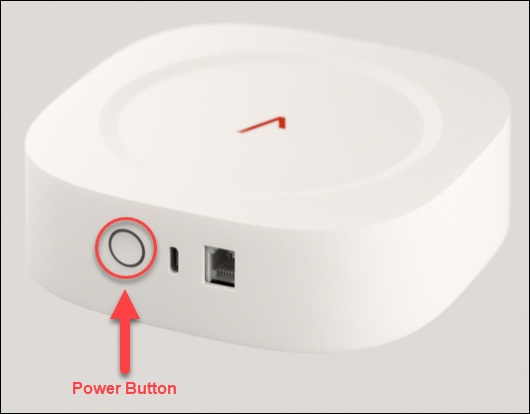
- Press and hold the power button for 10 or more seconds.The power button LED ring will strong blink white for 1-2 seconds to indicate the reset has been successful.