Samsung Galaxy Watch Active2 - Turn NFC On / Off
Here's how to turn NFC on or off so compatible apps can transfer files from your Galaxy Watch Active2.
Near Field Communication (NFC) allows the transfer of data between devices that are a few centimeters apart, typically back-to-back.
- Near Field Communication (NFC) allows the transferring of data between devices that are a few centimeters apart, typically back-to-back. NFC must be enabled for NFC-based apps (e.g., Android Beam) to function correctly.
- Currently, the NFC option is not available on the Watch when paired with any Apple® iPhone.®
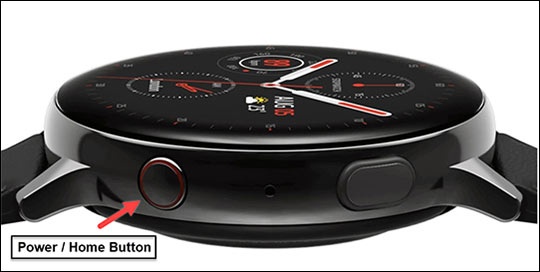
- From the watch screen, press theHome buttonto open the apps screen.
- Double-tap theSettings icon.
- TapConnections.
- TapNFC.
- Tap theNFC switchto turn on
or off
.