Inseego Business Phone Connect - View Device Info
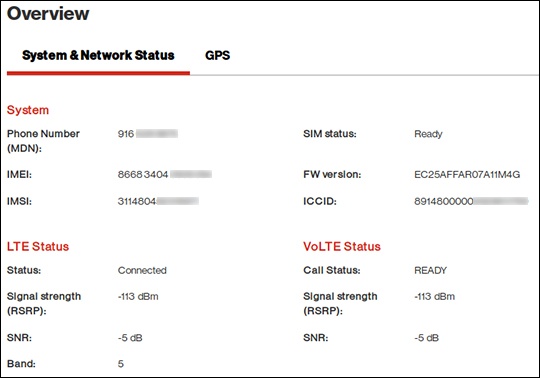
Here's how to view device info (e.g., IMEI, Signal strength, etc.) for your Business Phone Connect.
View via Admin Page
- Access the admin page.For assistance, refer to Access Admin Page.
- The Overview page includes the Phone Number, IMEI, ICCID, etc.
View via Device
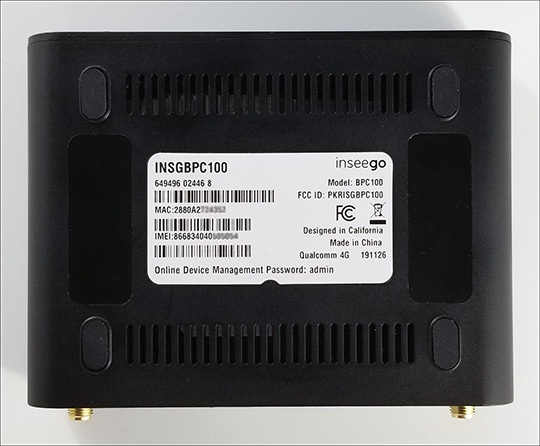
- Place the Business Phone Connect face down on a flat surface.
- View the info on the label on the bottom of the device.