Wireless Home Phone (LVP2) - Place a Conference Call
The conference call function on your Wireless Home Phone (LVP2) lets you talk with multiple people simultaneously so up to 6 parties can participate in the same conversation.
- While on the first call, dial the 10-digit number of the third party.
- Press the FLASH key on your phone or quickly press and release the HOOK switch. The initial call is put on hold and a dial tone plays.The location and design of the FLASH key and/or HOOK switch vary depending on the type of phone connected to the Wireless Home Phone.
- Dial the 10-digit number of the next party.
- When the third party answers, press the FLASH key or press the HOOK switch twice within 1.6 seconds to merge the calls.
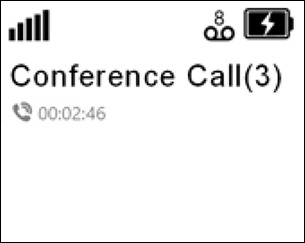
- Repeat steps 2-4 to add up to three additional parties.Individual parties can leave the call freely, however the conference call is terminated when the party that made the initial call hangs up.The Menu button is disabled during a conference call.While in a conference call, the number of parties is displayed in parentheses: