Samsung Galaxy Watch3 - Install System Updates
Here's how to check for and install software updates on your Galaxy Watch3.
Update from an Android Smartphone
- Open theGalaxy Wearable appon the connected Android smartphone.
- TapWatch settings(lower-left).
- TapWatch software update.
- TapDownload and install.
- If prompted, tapDownload.If desired, tapLaterthen select a time and tapOKto install at a later time.
- TapInstall now.The software update process may take several minutes to complete.The watch will restart during the install process.
Update from an Apple iPhone
- Open theSamsung Galaxy Watch (Gear S) appon the connected iPhone.
- From the Home tab, tapAbout watch.
- If an update is available, tapInstall.The software update process may take several minutes to complete.The watch will restart during the install process.
Update from the Galaxy Watch3
Only available when the watch is set up as standalone device.
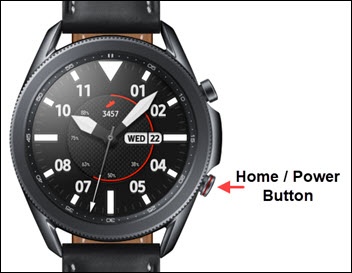
- From the watch screen, press theHome buttonto open the apps screen.
- Tap theSettings icon
.
- TapGeneral.
- TapWatch software update.
- If prompted, review the mobile data message then tap theAccept icon
.
- If an update is available, tapInstall.The software update process may take several minutes to complete.The watch restarts during the install process.