Verizon 5G Internet Gateway (LVSKIHP) Restore Settings to Factory Defaults
Verizon 5G Internet Gateway (LVSKIHP)
Restore Settings to Factory DefaultsReset your Verizon 5G Internet Gateway (LVSKIHP) to factory settings as a final troubleshooting step, or to reconnect it to a new router.
Before you begin
A reset to factory default deletes all changes made to the configuration and connected clients (e.g., Network Name (SSID), Wi-Fi/Admin Password, etc.) need to reconnect
External
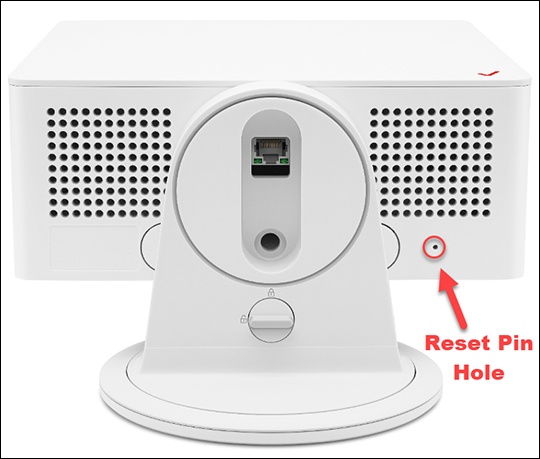
- From the bottom of the router, locate the Reset pin hole.
- Insert a paper clip then press and hold theReset buttonfor at least 5 seconds with the Gateway powered on.If a backup was done prior to the reset, perform a restore if desired.
Admin WebGUI
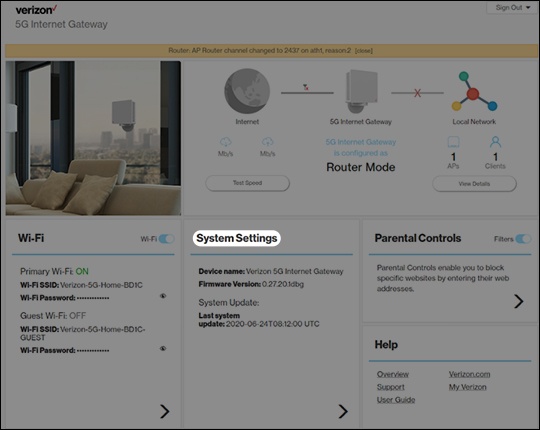
- Sign in to the Admin WebGUI.You must be connected to the 5G Internet Gateway to access the admin page.
- From the Router Home screen, clickSystem Settings.
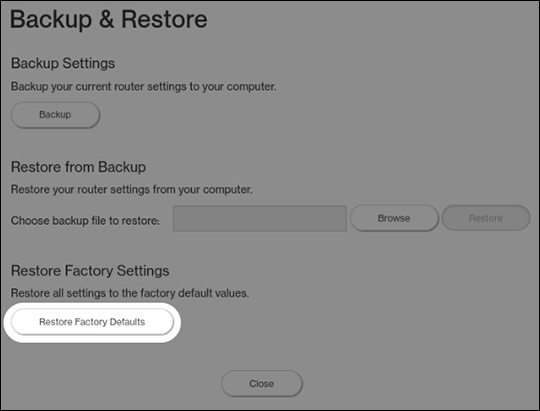
- From the General Information screen, clickBackup & Restore.
- From Backup & Restore, clickRestore Factory Defaults.If a backup was done prior to the reset, you can restore your router settings.