Verizon 5G Internet Gateway (LVSKIHP) Turn Network Name (SSID) On / Off
Verizon 5G Internet Gateway (LVSKIHP)
Turn Network Name (SSID) On / OffStruggling to get your gadgets online? Your 5G Internet Gateway (LVSKIHP) Wi-Fi name might be broadcast-disabled. Check out this guide to make it visible and easy to join.
Steps
- Sign in to the Admin WebGUI.
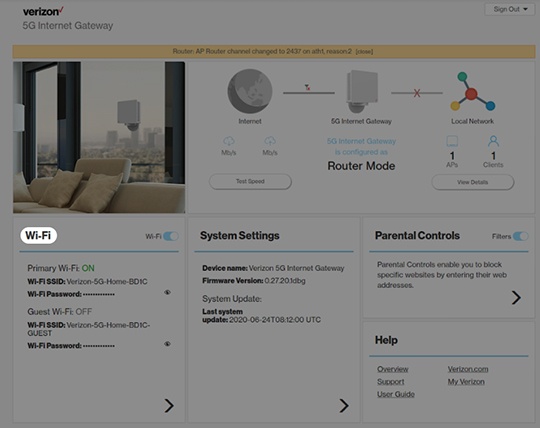
- From the Home screen, clickWi-Fi.
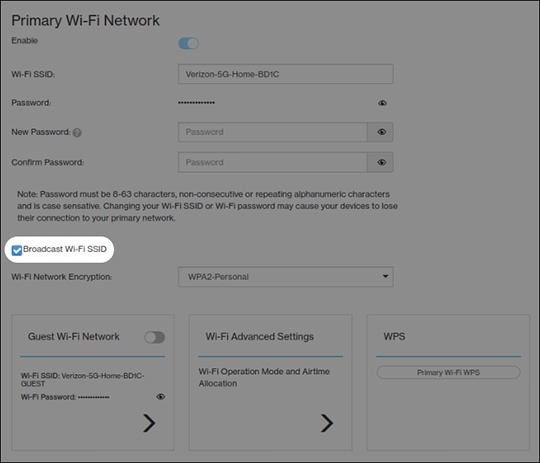
- From Wi-Fi Settings, locate and remove the checkmark from the 'Broadcast Wi-Fi Name (SSID)' field.Broadcast is enabled when a checkmark is present.If the SSID is disabled, the network settings on the computer must be updated. For assistance, select the applicable operating system:
- ClickSave.