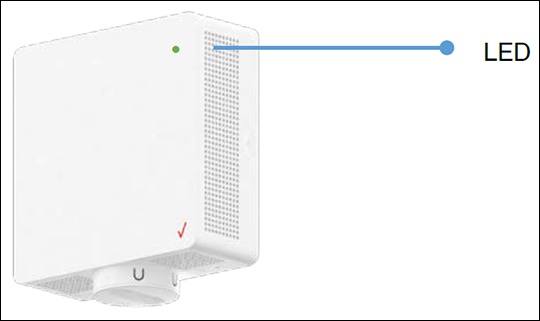
Verizon 5G Internet Gateway (LVSKIHP) View LED Status Indicators
Verizon 5G Internet Gateway (LVSKIHP)
View LED Status IndicatorsThe LED lights on your Verizon 5G Internet Gateway (LVSKIHP) indicate its power or connection status. A quick glance shows whether it's working properly or needs attention.
Steps
- View the following chart:LED Status IndicatorsFunctionStatusLED PatternParing (WPS/Bluetooth)Pairing modeAnimation BluePairing successfulBluePairing failAnimation RedWi-Fi and InternetWi-Fi is turned Off.Animation YellowConnected to router, no InternetAnimation Red/AmberConnected to InternetSolid White (dims after 60 seconds)OtherFirmware upgrade / Hard resetFast Blink WhiteHardware or software issueAnimation RedGood SignalGreenPoor SignalYellowNo 5G SignalSolid Red