Arris NVG558 Router - Firewall - Service Blocking / ALG
Here's how to setup service blocking / ALG on your NVG558 router.
Service Blocking
- Sign in to the Admin WebGUI then clickFirewall.You must be connected to the network to access the admin page.
- ClickService Blocking.
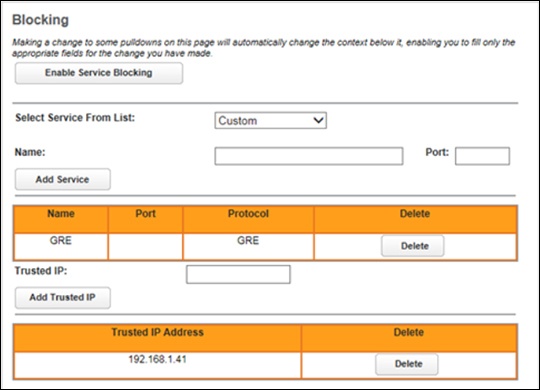
- Configure the following:
- Enable Service Blocking: When enabled, the services in the list are blocked from LANside clients. The button name changes toDisable Service Blocking.
- Select Service From List: Select services from the pull-down list to be blocked. A custom service can be blocked by creating a name and port.
- Trusted IP: Manually enter the LAN-side IP address of clients to be trusted and not have services blocked.
Application Level Gateway (ALG)
- Sign in to the Admin WebGUI then clickFirewall.You must be connected to the network to access the admin page.
- ClickALG.
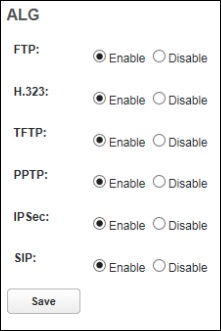
- Configure the following then clickSave:
- FTP: When enabled, provides support for File Transfer Protocol.
- H.323: When enabled, provides audio-visual communications support.
- TFTP: When Trivial File Transfer Protocol is enabled, it allows get/put of a file from/to a remote host.
- PPTP: When Point-to-Point Tunneling is enabled, it supports virtual private networking.
- IPSec: This feature helps ESP (IPsec encryption) work properly when using NAT. It can sometimes cause problems for non-NATed hosts (such as devices on the Public LAN).
- SIP: This feature understands the SIP protocol used by the specific applications and does a protocol packet-inspection of traffic through it. A NAT router with a built-in SIP ALG can re-write information within the SIP messages (SIP headers and SDP body) making signaling and audio traffic between the client behind NAT and the SIP endpoint possible.