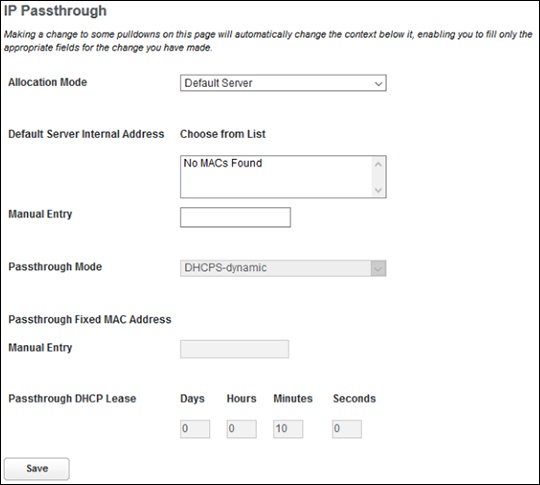
Arris NVG558 Router - Forward Unknown Traffic to LAN
Here's how to forward unknown traffic to LAN on your NVG558 router.
- Sign in to the Admin WebGUI then clickFirewall.You must be connected to the network to access the admin page.
- ClickFirewall IP Passthrough.
- ChooseDefault Serverfrom the 'Allocation Mode' dropdown menu.
- Choose the device on the home network to receive traffic directed to the Gateway's public IP address.If the device is connected, find it and click its address in the 'Choose from List' field. If the device has not connected, type its MAC address into the 'Manual Entry' input field.
- ClickSavefor the changes to take effect.