Fossil Gen 5 LTE Smartwatch - Manage Do Not Disturb Settings
Here's how to check Do Not Disturb settings if your Fossil Gen 5 LTE Smartwatch isn't receiving calls or alerts for texts and email.
Ensure the software on your Fossil Gen 5 LTE Smartwatch is up to date as the steps below to enable / disable and customize the Do Not Disturb setting apply to the most recent version.
Enable / Disable
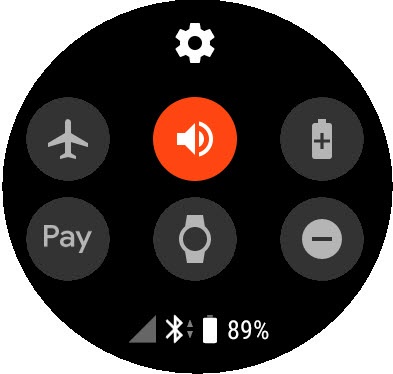
- From the watch screen, swipe down from the top edge of the watch to view the Notification Panel.
- Tap theDo Not Disturb icon(lower-right) to turn on
or off
.
Customize Do Not Disturb Settings
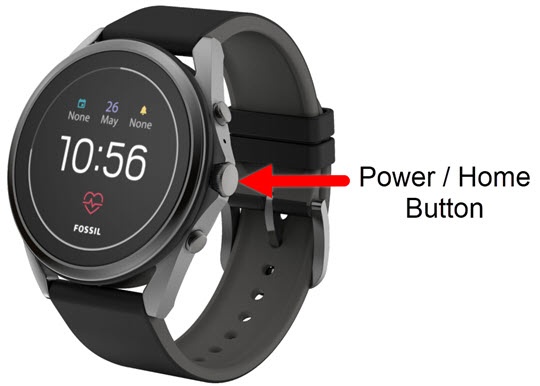
- From the watch screen, press thePower /Home buttonto open the apps screen.
- Tap theSettings icon.
- TapApps & notifications.
- Do any of the following:
- TapSet Do Not Disturb when off wristto turn on
or off
.
- TapOverride Do Not Disturb forthen tap any of the following to turn on or off:
- Calls from favorites
- Reminders
- Events
- Alarms