Nokia 2720 V Flip - View SIM Card Number
Here's how to view the SIM card number associated with your Nokia 2720 V Flip.
- Press thecenter buttonto open the Menu.Utilize the 5-way navigation pad to highlight and the center button to select.
- SelectSettings.
- HighlightDevice.
- SelectDevice information.
- SelectMore information.
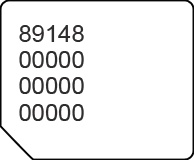
- View the 20-digit SIM card number (ICCID).
You can also remove the SIM card and view the 20-digit SIM card number (with the gold contacts facing away).