Lenovo IdeaPad Duet 3i - Set Up Your Phone app
Here's how to sync your Android device and your IdeaPad Duet 3i.
- Link your mobile device to your Lenovo IdeaPad Duet 3i to get instant access to content.
- The option to link your phone is available for Android™ devices running 7.0 or higher and Apple® iOS devices running 10.0 or higher.
- From the Home screen, tap or click theWindows key
.
- Navigate:.SettingsPhone
- Tap or clickAdd a Phone.
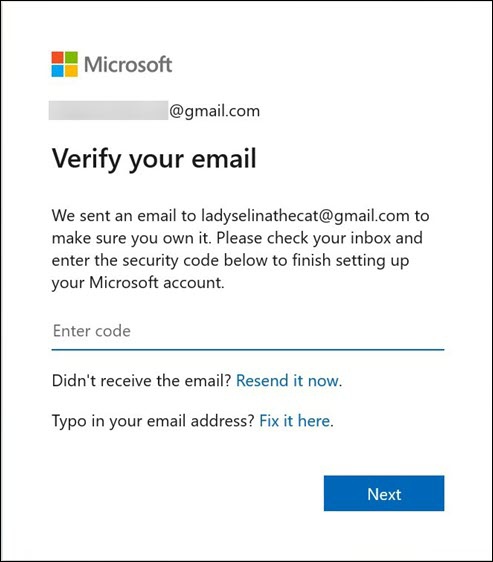
- From the 'Verify you email' screen, enter the code sent to your Microsoft account.
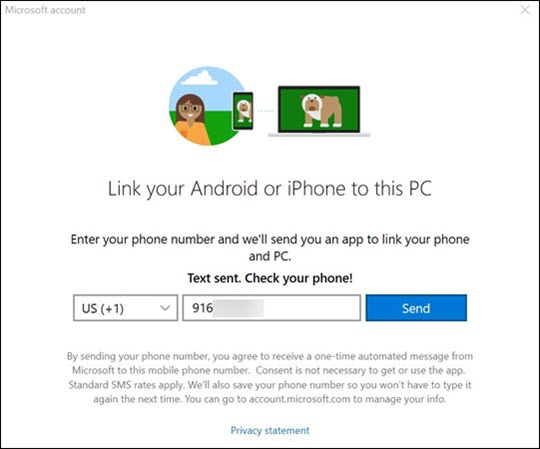
- From the 'Link your Android or iPhone to this PC' screen, enter the phone number to your device then tap or clickSend.
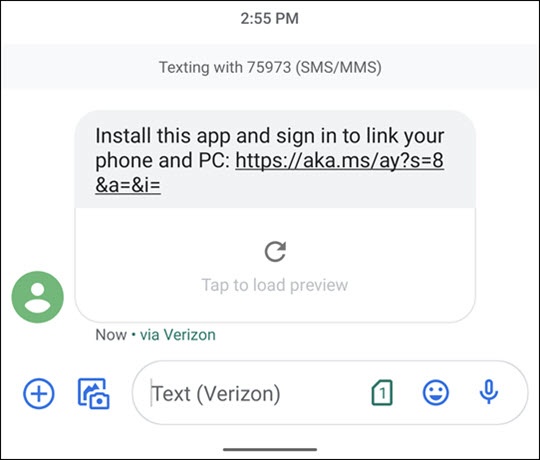
- You will receive a text message to that phone number, click the link to install Microsoft Launcher to your Android or Microsoft Edge app to your iPhone.
- Follow the steps below on your Android or iPhone:
- Android
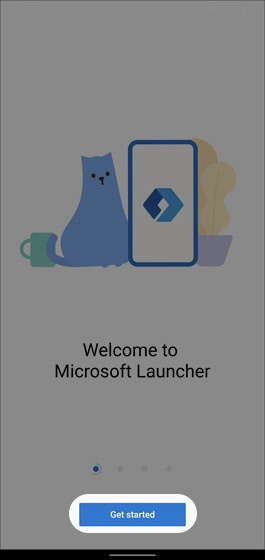
- Once installed, open the Microsoft Launcher app.
- TapGet started.
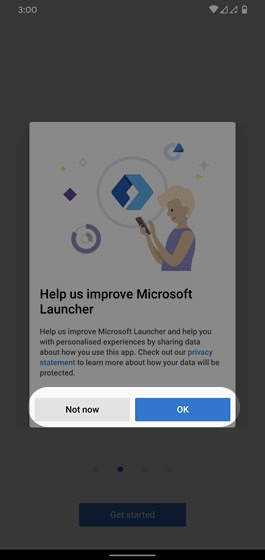
- Read the disclaimer to improve Microsoft Launcher, tapOKorNot nowto skip.If presented, tap to allow app access to the device.
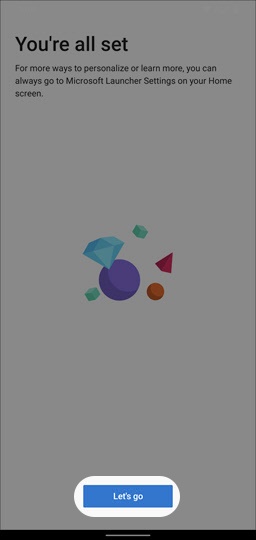
- From the 'You're all set' screen, tapLet's goto start using the app.
- iPhone
- Once installed, open theMicrosoft Edge app.
- Tap or click theUser icon
(upper-right).
- Enter your Microsoft account then tap or clickNext.
- Enter your password then tap or clickSign in.

For additional info, visit the Microsoft Windows support page.