Samsung Galaxy Chromebook Go - Sign In / Out
Here's how to sign in / out of additional user accounts set up on your Galaxy Chromebook Go.
Sign In
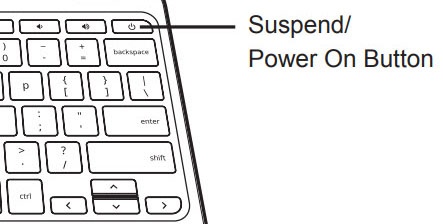
- With the device powered on, press thePower on button.
- Click the desired user.
- If prompted, enter the user account password or PIN then pressenter.
Sign Out
- Press and hold thePower on buttonuntil the options window appears.
- ClickSign Out.