Airspeed Mobile Hotspot - Configure Wi-Fi Security Settings
Here's how to configure Wi-Fi security settings (e.g., Wi-Fi name, Wi-Fi password, etc.) on your Airspeed Mobile Hotspot.
- Sign in to the Admin Web Interface for your Airspeed Mobile Hotspot.
- From the left menu, click .
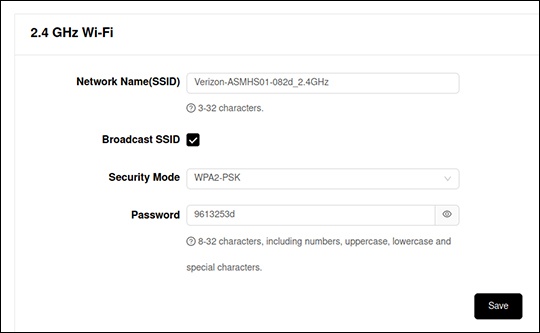
- From either the '2.4G' or '5G' section, adjust as desired then clickSave.
- Network Name (SSID)
- Security
- Wi-Fi Password