Airspeed Mobile Hotspot - View Connected Devices
Here's how to view info for devices connected to your Airspeed Mobile Hotspot.
To view info for devices connected to your Airspeed Mobile Hotspot, follow these steps.
View via Device
- Press thePower buttonto turn on the display.
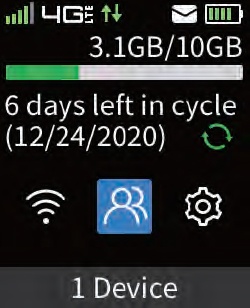
- Press theMenu buttonto highlight the connected devices icon then press thePower button.
- View the number of connected devices (located on the top; e.g., 8.)

View via Admin Web Interface
- Access the Admin Web Interface.
- From the left menu, click .
- From the 'Connected Devices' section, view the following info (if available):
- Device name
- IP address
- MAC address