Import /Export Contacts from a Comma Separated Values (*.csv) File - Entourage
Here's how to import /export contacts from a comma separated values (*.csv) file via Entourage.
Importing Contacts
- OpenEntourage.Click .
- Click .
- Select Import information from a text file then click theright arrow(located in the lower-right corner).
- Select Import contacts from a tab- or comma-delimited text file click theright arrow(located in the lower-right corner).
- Select the desired.csv file then clickImport.
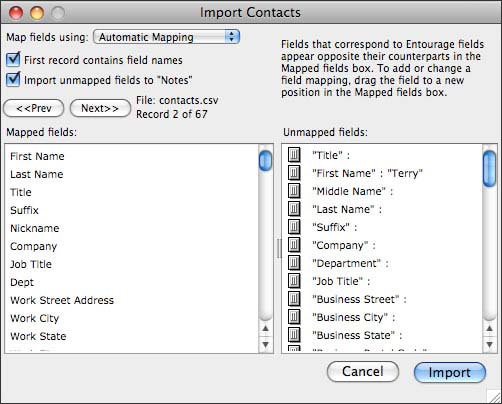
- Select the desired field mapping then clickImport.
- ClickFinish.
Exporting Contacts
- OpenEntourage.Click .
- Click .
- Ensure Local contacts to a list (tab- delimited text) is selected then click theright arrow(lower-right corner). Enter the desired text file name, select the save location then clickSave.
- ClickDone.