Orbic AirSurf 5G - Transfer Data via USB
Here's how to transfer data from your AirSurf 5G laptop to a portable USB storage device.
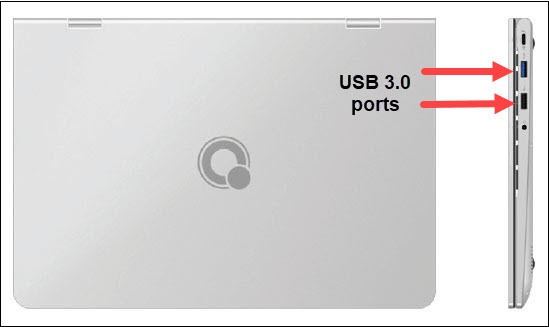
- Connect an external drive (e.g. Flash drive) to one of the USB ports (right-edge) available on your Orbic® AirSurf 5G™.
- Utilize File Explorer to transfer data between the external drive and the computer/tablet.If File Explorer doesn't launch automatically, navigate:.Start menu iconAll appsFile Explorer