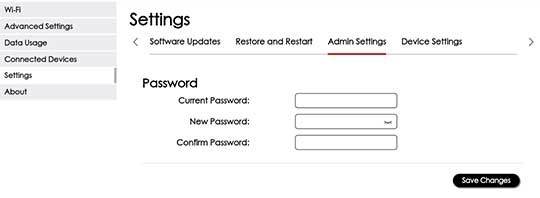
Orbic Speed 5G - Change the Admin Password
Here's how to change the admin password for your Orbic Speed 5G (not the password to connect a device to the jetpack).
This info doesn't apply to changing the password used to connect to your Orbic® Speed 5G™ via Wi-Fi. The Administration Password is used to log in to the device web interface to manage settings (e.g., network name, network password, etc.).
- Access the Admin Web Interface.
- From the top menu, clickConfiguration.
- From the left menu, navigate: .
- Enter the Current Password, New Password, and Confirm the Password then clickSave Changes.