Orbic Speed 5G - Update Firmware
Software updates improve performance, fix bugs and enhance security. Installing them helps keep your Orbic® Speed 5G™. safe and running efficiently.
Via Device
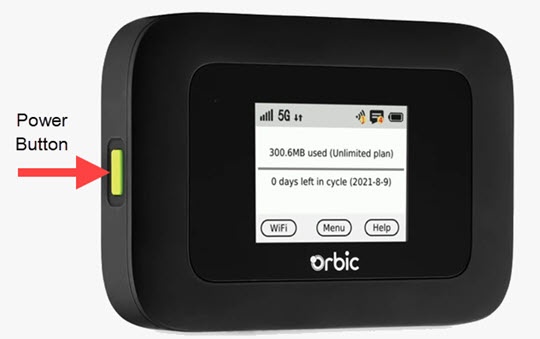
- Press thePower buttonto turn on the display.
- TapMenu(on the device screen).
- From the 'Menu' screen, swipe the screen to the left or right to view the additional menu options and tapSoftware Updates.
- To check for updates, pressCheck for Updatethen follow the prompts to install the firmware update.
Via Admin Web Interface
- Sign in to the Admin Web Interface.
- From the top menu, clickConfiguration.
- From the left menu, navigate: .
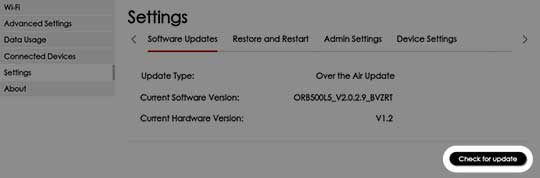
- SelectCheck for updatefor software or firmware updates.
- If an update is available, follow the on-screen instructions to apply the update.