Orbic Speed 5G - Delete Messages
Here's how to delete text messages from your Orbic Speed 5G via the device or web interface.
Via Device Display
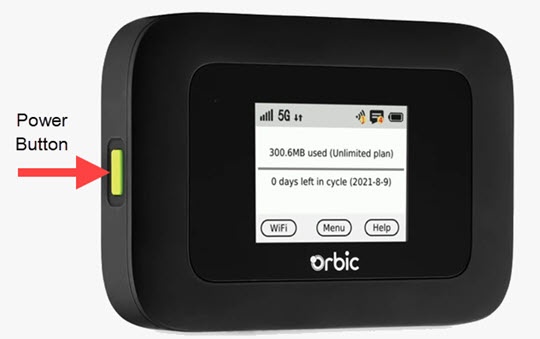
- Press thePower buttonto turn on the display.
- TapMenu(on the device screen).
- From the 'Menu' screen, swipe the screen to the left or right to view the additional menu options and tapMessages.
- If necessary, swipe left or right to cycle through messages.
- TapDelete.
- TapConfirm.Repeat steps as necessary to delete additional messages.
Via Admin Web Interface
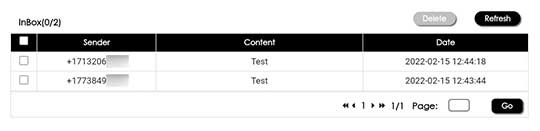
- Access the Admin Web Interface.
- From the top menu, clickMessages.
- Click on the checkbox to the left of the desired message, then clickDelete.You can check multiple messages at one time.
- TapOKto confirm.