Orbic Chromebook - View SIM Card Number
Here's how to view the SIM card number associated with your Orbic Chromebook.
If you need to view the SIM card number (ICCID) for the SIM card in your Orbic® Chromebook®, which is needed for activation, follow these step-by-step instructions.
- Navigate:.Launcher iconSettings
- ClickMobile data.
- From the SIM section, clickVerizon.
- ClickAdvanced.
- View the ICCID.
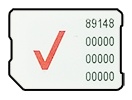
You can also remove the SIM card and view the 20-digit SIM card number (with the gold contacts facing away).