Samsung Galaxy Watch Ultra - Adjust Brightness / Display Settings
Here's how to adjust screen brightness and other display settings (Screen timeout, Background style, Font, etc.) on your Galaxy Watch Ultra.
Brightness
- From the watch screen, open theSettings app.
- Navigate: .
- Slide thesliderclockwise or counterclockwise to the desired level.
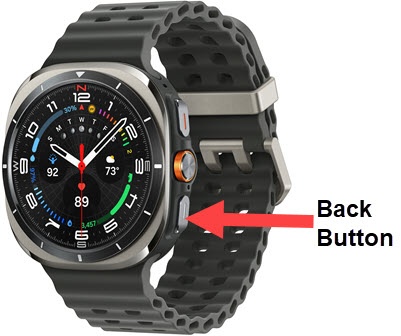
- Press theBack button.
- TapAdaptive brightnessthen turn on or off as desired.When turned on, brightness automatically adjusts based on available light.
Screen Timeout
- From the watch screen, open theSettings app.
- Navigate: .
- Tap the preferred screen timeout (e.g., 15 seconds, 30 seconds, 1 minute, etc.).
Font
- From the watch screen, open theSettings app.
- Navigate: .
- Swipe the screen up or down to scroll, then tap the desired font style.
- Press theBack button.
- TapFont size.
- Slide theblue dotright or left to the desired size.