Inseego MiFi PRO M4 Restore Settings to Factory Defaults
Inseego MiFi PRO M4
Restore Settings to Factory DefaultsResetting your MiFi® PRO M4 to default settings can clear misconfigurations and software quirks while keeping your important data, files and apps intact.
Reset via Admin Website
- Access the Admin Web Interface.
- From the left menu, click theAdministration tab.
- From the Backup and Restore section, clickRestore Factory Defaults.
- To confirm, clickYes, Restore Factory Defaults.
Reset via Device
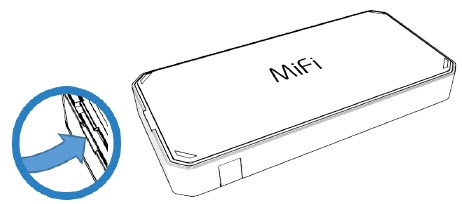
- Remove the battery cover.Place a fingernail in the notch then lift the back cover.
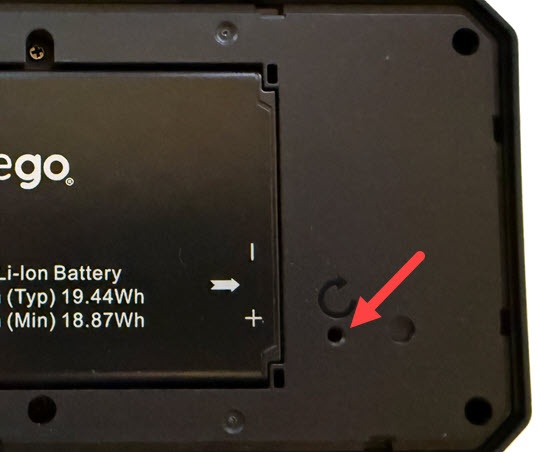
- Place one end of an unfolded paper clip into the Reset hole and press until the MiFi Resetting screen displays.