LED Status Indicators - Verizon Jetpack® 4G LTE Mobile Hotspot MiFi® 4620L
View this info for explanations of status LEDs on your Verizon Jetpack - MiFi 4620L.
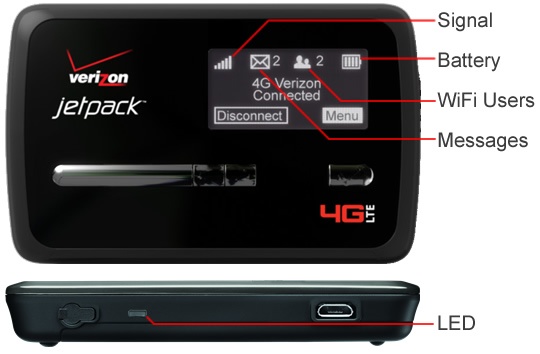
LED color | Status | Description | |
No light |  | Off | The device is powered off or otherwise is not getting power. |
Yellow |  | Solid Blinking | The device is in power-down mode. The device is powered off and also charging the battery |
Green |  | Slow Blinking Blinking | The device is powered on; 4G LTE service is available but not connected or connected while dormant. The device is powered on and connected to the LTE network and transmitting data. |
Violet |  | Slow Blinking Blinking | The device is powered on; GSM service is available but not connected or connected while dormant. The device is powered on and connected to a GSM network and transmitting data. |
Red |  | Blinking | If this occurs during power up, no SIM card is inserted. All other times, this indicates an error or a SIM card failure. |
White |  | Blinking | The device is powered on and the firmware is being upgraded. This LED only applies to over-the-air firmware updates. |