LAN Settings - Verizon Jetpack® 4G LTE Mobile Hotspot MiFi® 4620L
To configure advanced LAN settings for your Verizon Jetpack - MiFi 4620L, view this info.
View this info to configure advanced LAN settings (e.g., IP address, Subnet mask, Hostname, etc.) for your Jetpack.
- Access the Admin Web Interface.
- From the Network tab, clickLAN.
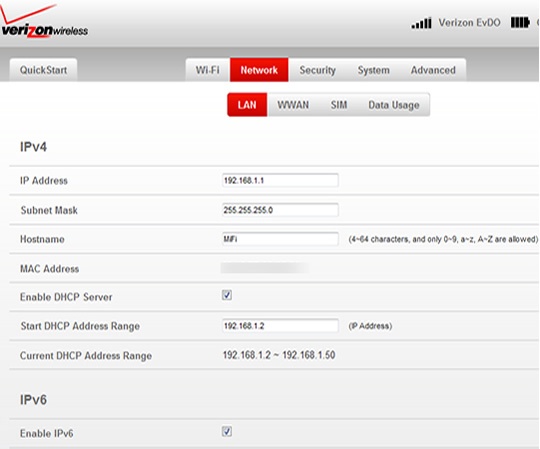
- From the IPv4 section, enter the desired information into the following fields then clickSave(located in the lower-left).The information depicted in the following image are the default settings.
- IP Address
- Subnet Mask
- Hostname
- Start DHCP Address Range