Alerts Settings - Verizon MDM (BuSS)
Here's how to view or change alerts for the Verizon MDM (BuSS).
- Verizon MDM content displayed and the ability to modify or update content may vary based on policy, role, or permissions.
- Due to a number of features that require HTML 5, Verizon MDM requires Internet Explorer version 10 and above to work efficiently.
Diagnostic Alerts Settings
- Access the Verizon MDM Portal.
- From the Home screen, navigate:
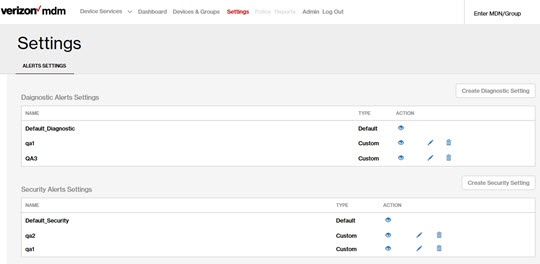
- From the Alerts Settings page, viewDiagnostic Alerts Settingssection.
- Click an option for the action you wish to complete:
- View iconView current settings.
- Edit iconAfter making edits, clickSave.
- Delete iconAfter selecting the diagnostic profile to delete, clickConfirm.
- Create Diagnostic Setting button
- Assign a name.
- Configure settings as desired.
- ClickSave.




Security Alerts Settings
- Access the Verizon MDM Portal.
- From the Home screen, navigate:
- From the Alerts Settings page, viewSecurity Alerts Settingssection.
- Click an option for the action you wish to complete:
- View iconView current settings.
- Edit iconAfter making edits, clickSave.
- Delete iconAfter selecting the security setting to delete, clickConfirm.
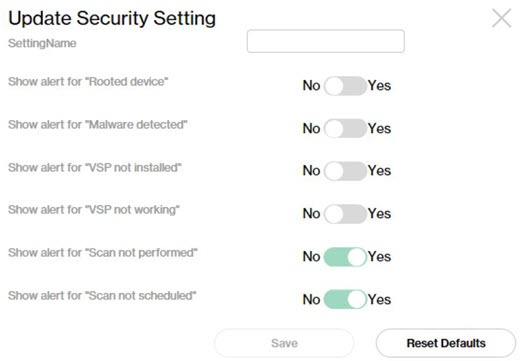
- Create Security Setting button
- Assign a name.
- Configure settings as desired.
- ClickSave.