Assign a Sender Code to a Sub Account - Enterprise Messaging (EMAG)
Here's how to assign a sender code to a sub account with Enterprise Messaging.
- Sign in to Enterprise Messaging.
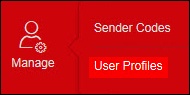
- From the left navigation menu hover over 'Manage' then clickUser Profile.To view the navigation menu, click thered tab
.
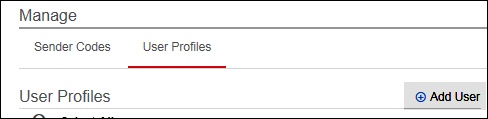
- ClickAddUser.
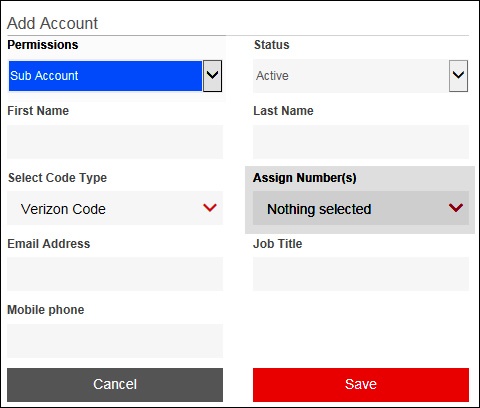
- Click thePermission dropdownthen select Sub Account.
- Click theAssign Number(s) dropdownthen select the appropriate sender code.
- ClickSave.