Global Modem USB730L - View SIM Card Number
Here's how to view the SIM card number for your USB730L via the admin page.
- Connect the USB modem to the computer then access the Admin Web Interface.
- From the left menu, clickAbout.
- Click theDiagnostics tab.
- From the 'Modem' section, view the ICCID (SIM).
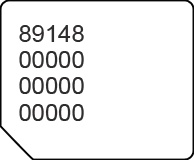
You can also remove the SIM card and view the 20-digit SIM card number (with the gold contacts facing away).