Enterprise FOTA Add Schedule - Verizon MDM (BuSS)
Here's how to add a schedule for device software update details for Verizon MDM (BuSS).
- Verizon MDM content displayed and the ability to modify or update content may vary based on policy, role, or permissions.
- Due to a number of features that require HTML 5, Verizon MDM requires Internet Explorer Version 10 and above to work efficiently.
- Access the Verizon MDM portal.
- From the Home screen, navigate: .
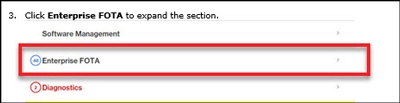
- ClickEnterprise FOTAto expand the section.
- Click theAdd Schedule button(on the right).
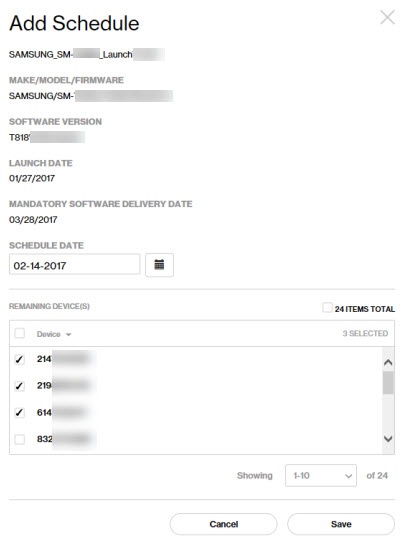
- From the Add Schedule screen, enter the preferred Schedule Date.
- From the Remaining Device(s) section, select the desired phone numbers.Selected when a checkmark
is present.
- Click theSave buttonto apply schedule to selected devices.
- If presented with "Software Campaign has been created", clickOK.