Kyocera DuraXV LTE - Enable / Disable / Modify SIM PIN
Here's how to enable, disable or modify the SIM PIN on your DuraXV LTE.
Enabling the Subscriber Identity Module (SIM) Personal Identification Number (PIN) locks the SIM card so that it cannot be used until the correct code is entered. If the incorrect PIN code is entered too many times, a PIN Unblocking Key (PUK) must be obtained from Verizon Wireless. Ensure a SIM card is properly inserted..
- Enable or Disable the SIM PIN
- Modify the SIM PIN
Card Lock
Edit Card Code
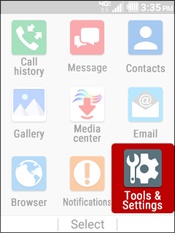
- From the main screen, selectMenu.Utilize the 5-way navigation pad to highlight and the center button to select.
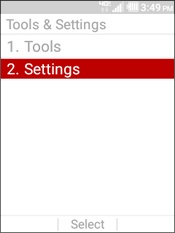
- SelectTools & Settings.
- SelectSettings.
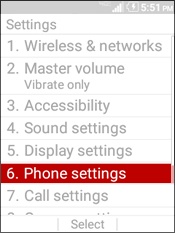
- SelectPhone Settings.
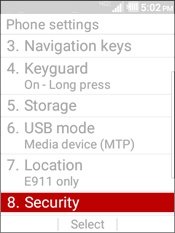
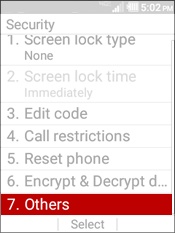
- SelectSecurity.
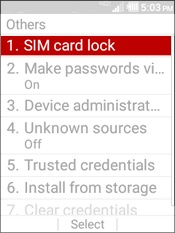
- SelectOthers.
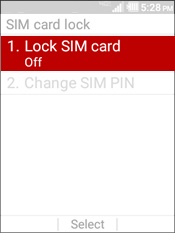
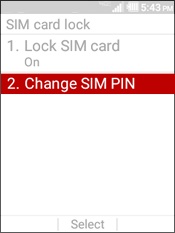
- SelectSIM card lock.
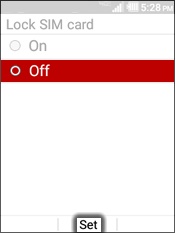
- SelectLock SIM card.
- Highlight an option then selectSet.
- On
- To lock the SIM card, enter the SIM Lock code then selectOK.
- Off
- To unlock the SIM card, enter the SIM Unlock code then selectOK.
- SelectChange SIM PIN.
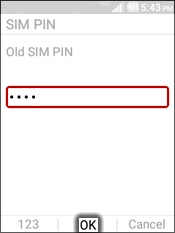
- Enter the Old SIM PIN then selectOK.
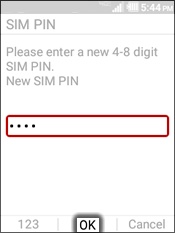
- Enter a new SIM PIN then selectOK.
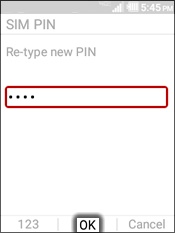
- Re-enter the new SIM PIN then selectOK.