5G MiFi® M1000 - Turn Ethernet On / Off
Here's how to turn the Ethernet connection for your 5G MiFi M1000 on or off.
Ethernet must be enabled in order to allow Internet access via an Ethernet cable.
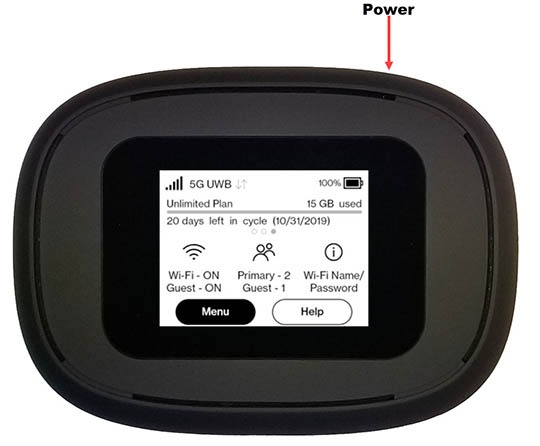
- From the Home screen, tapMenu(lower-left).If necessary, press thePower button(top-right edge) to turn on the display.
- TapSettings.
- Tap theEnable Ethernet portto turn on
or off
.
- If turning on, review the message then tapConfirm.All connections terminate and the MiFi restarts.