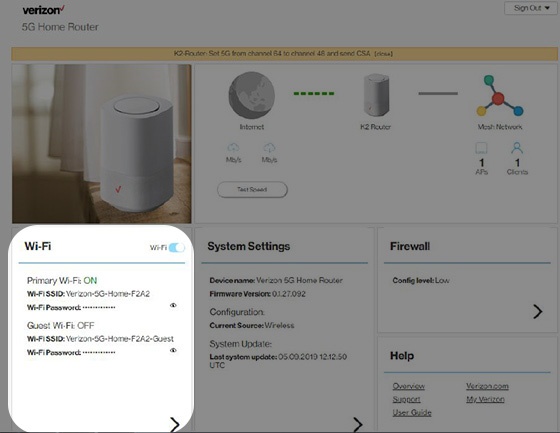
5G Home Router Turn Network Name (SSID) On / Off
5G Home Router
Turn Network Name (SSID) On / OffMake connecting to your home internet simple. Follow these steps to ensure your 5G Home Router broadcasts its network name, allowing your family and guests to find and join your Wi-Fi network effortlessly.
Before you begin
This content is for 5G Home Internet. Here's info on Fios Home Internet.
5G Home Internet service is currently offered in specific areas. Here's how to check for 5G coverage availability.
If the Wi-Fi password is changed, the network settings on the computer must be updated. For assistance, refer to the applicable operating system Macintosh® OS X or Windows®.
Steps
- Sign in to the Admin WebGUI.
- From the Router Home screen, clickWi-Fi.
- From Wi-Fi Settings, click thePrimary Wi-Fi Dropdown menuthen select one of the following to modify:
- 4GHz Primary Wi-Fi
- 5GHz Primary Wi-FI
- From Wi-Fi Settings, locate and remove the checkmark from the 'Broadcast Wi-Fi Name (SSID)' field.
- ClickSave.