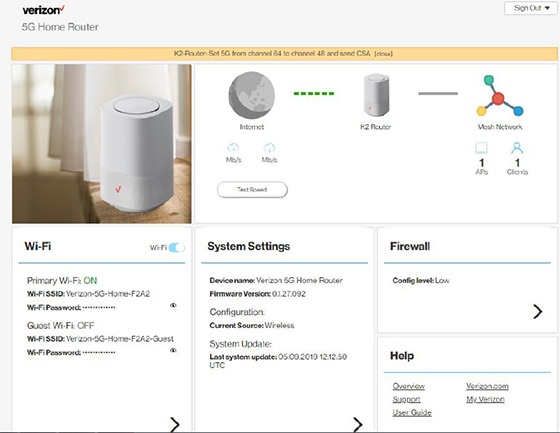
5G Home Router View Wi-Fi Name and Password
5G Home Router
View Wi-Fi Name and PasswordFollow these steps to find the Wi-Fi network name (SSID) and password for your 5G Home Router so you can share your internet connection with other devices.
Before you begin
This content is for 5G Home Internet. Here's info on Fios Home Internet.
5G Home Internet service is currently offered in specific areas. Here's how to check for 5G coverage availability.
Steps
- Sign in to the Admin WebGUI.
- From the Router Home screen, locate the Wi-Fi section and view the following:
- Wi-Fi name (SSID)
- Wi-Fi PasswordClick theView iconto display the current password.