Samsung Galaxy Watch - Turn App Permissions On / Off
Here's how to turn permissions for installed apps on your Galaxy Watch on or off.
Turning off certain permissions may result in basic features no longer working as intended.
From your Android® smartphone or Apple® iPhone® , ensure your Galaxy Watch software is up to date as the steps below apply to the most recent version.
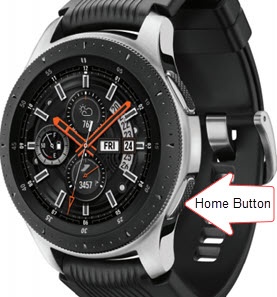
- From the watch screen, press theHome buttonto open the apps screen.
- Navigate:.SettingsAppsPermissions
- Tap the appropriate app.
- Tap available permissions (e.g., Contacts, Location, Storage, etc.) to turn on
or off
.