Home Phone Base - Activate / Set Up Device
Activate your Home Phone Base to get started. This ensures you can make calls using a standard home phone connected to the base.
Electrical equipment can cause interference. Avoid placing the Home Phone Base near other electrical equipment such as a refrigerator, television or microwave oven.
- The Home Phone Base comes with the SIM card pre-installed. If it was removed, re-insert the SIM card.
- Customers transferring in their home number can't make or receive calls on the Home Phone Base until the transfer process is completed. The transfer process can take 2-10 business days. Check the status of your transfer by visiting www.verizon.com/switch-to-verizon/check-status/ or by calling (877) 567-4899.
- Attach the AC adapter to one end of the USB Type-C cable, plug the AC adapter into an electrical outlet, then plug the other end of the cable into the USB Type-C port on the Home Phone Base.
- Make sure the home phone isn't connected to a phone jack in the wall.
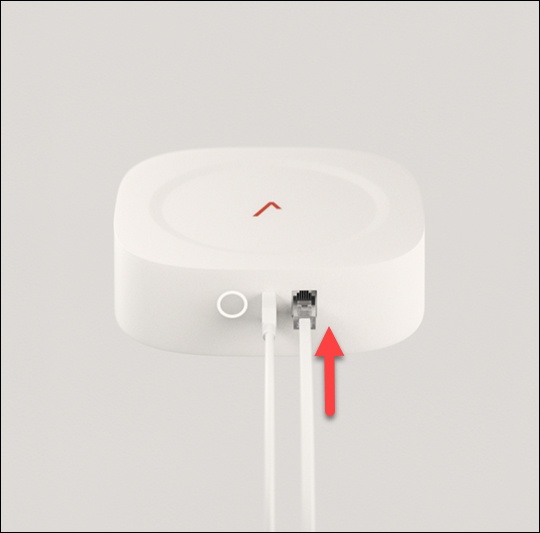
- Connect the home phone to the device.
- Press and hold thePower buttonuntil the device begins to power on.The power indicator turns white when the device is turned on.
- Place a call to start using the service.Ensure the LTE connection LED on the front of the device is solid white. If the LTE connection LED is amber/yellow, move the Home Phone Base to get a stronger signal. More information on LED status indicators is available here.10-digit dialing is recommended, especially when dialing long distance. Dialing only 7 digits may not work as expected.