Samsung Galaxy Watch Active2 - Factory Data Reset (Powered On)
If your Galaxy Watch Active2 has a blank or frozen screen or calling, app, audio and syncing issues, view this.
- Perform a factory data reset only if necessary as it removes all data including system apps, app data and media.
- Personal data (e.g., Wi-Fi passwords, media, etc.) can be backed up to a Samsung account.
- The factory data reset won't remove your mobile network info. To restore network settings to default values, refer to Reset Network Settings.
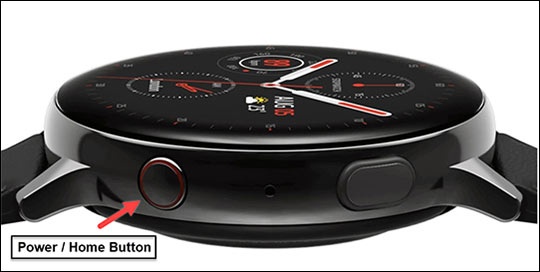
- From the watch screen, press theHome buttonto open the apps screen.An alternate reset method is available if the device can't be powered on and is unresponsive.
- Tap theSettings icon
then navigate: .
- Review the 'Before resetting' message then tapNext.
- TapResetto confirm.If needed, set up your device. If troubleshooting third-party apps, don't restore app data.