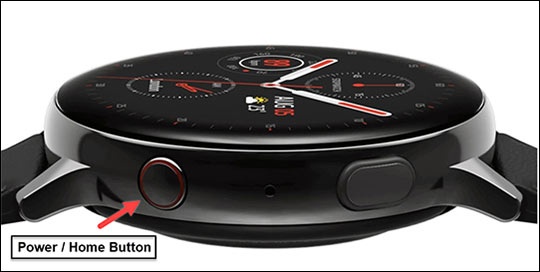
Samsung Galaxy Watch Active2 - View, Open or Close Recently Used Apps
Here's how to view, open or close recently used apps on your Galaxy Watch Active2.
From your Android™ smartphone or Apple® iPhone® , ensure your Galaxy Watch Active2 software is up to date as the steps below apply to the most recent version.
- From the watch screen, press theHome buttonto open the apps screen.
- Double-tap theRecent apps icon
.
May require swiping left or right to other pages. - Swipe left or right to an available app then tap that app to open it.To close the app, tapClose icon
(upper-right).
To close all apps, tapClose all(at the bottom).