Inseego Business Phone Connect - Backup / Restore Current Configuration
Here's how to backup and restore the current configuration on your Business Phone Connect.
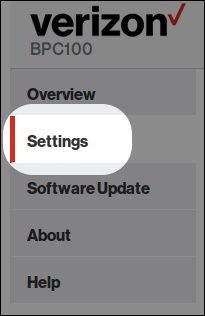
- Access the router admin page then clickSettings(on the left).For assistance, refer to Access Admin Page.
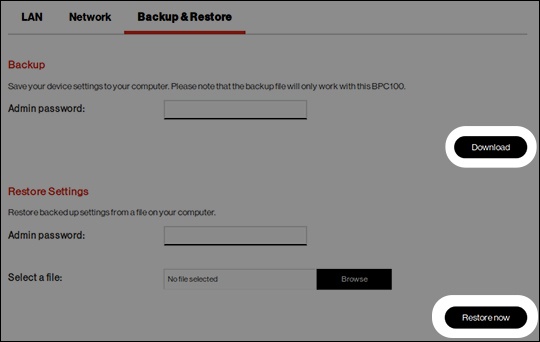
- From the top menu, clickBackup & Restore.
- From the 'Backup & Restore' page, perform one of the following steps:
- To backup the current configuration, enter the admin password then clickDownloadand follow the prompts.
- To restore a saved configuration, enter the admin password, clickBrowse, locate the saved configuration then clickRestore nowto complete the steps.