Wireless Home Phone (LVP2) - Factory Data Reset
Here's how to restore your Wireless Home Phone (LVP2) to default factory settings.
- After the device is reset, all settings are restored to factory defaults and call history data is erased.
- When the device is reset, any active calls are disconnected.
- To avoid resetting the device's settings, perform a soft reset to the device.
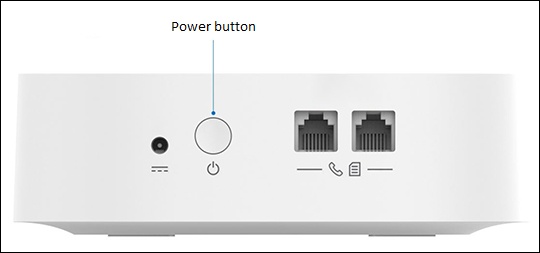
- Press and hold the power button for 10 seconds.
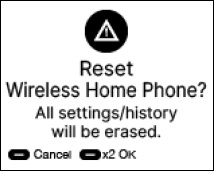
- Wait for the 'Reset Wireless Home Phone?' warning prompt to appear.
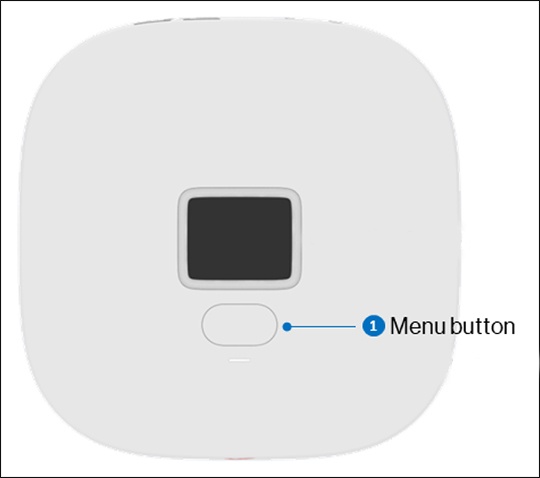
- Quickly press theMenu buttontwice to select OK action to proceed with the reset.To cancel the reset, after the reset screen appears, press theMenu buttononce or wait 10 seconds.